TIMEKEEPERS THE SIMPLISTICALLY COMPLEX PUZZLE GAME
CHANGING YOUR DESKTOP DISPLAY
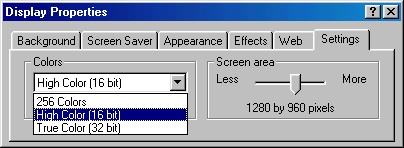
This will open up your Display Properties panel, from within choose the Settings tab
and you will now be able to change your desktop display mode (referred to as Colors)
along with your desktop size (referred to as Screen Area)
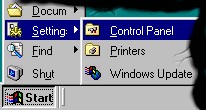 You can change your desktop display mode and size by clicking the START
button on your task bar and choosing Settings: Control Panel
from the menu
You can change your desktop display mode and size by clicking the START
button on your task bar and choosing Settings: Control Panel
from the menu
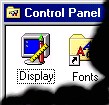 From the control panel window, double click the icon called Display